

 By iCarsoft Official Store Technical Team, Automotive Diagnostics Editors · Updated October 10, 2026 · Technical sources checked
Quick Answer
C0055 is listed as Steering Wheel Position Sensor Signal D in the cited primary reference. Save the full OEM wording, suffix and module, then separate the relevant signal, installation, setup and controller evidence before authorizing a repair.
What Does the C0055 Code Mean?
C0055 is listed as Steering Wheel Position Sensor Signal D in the cited diagnostic-code reference. The base label establishes a diagnostic category; the full OEM descriptor determines the vehicle-specific fault. The full fault record determines the test branch.
Signal D is a channel designation, not a fourth sensor to order. Determine whether the reporting module is consuming steering-position data, monitoring an output, or reporting another manufacturer-specific circuit. A steering-angle value on a screen cannot identify that architecture by itself.
The position signal represents steering input. It is different from yaw rate, which describes vehicle rotation, and from an acceleration channel. A straight steering wheel, straight road wheels and an accepted electronic center are related observations, but they are not interchangeable proof of calibration.
Ford SSM 49386 covers specified 2020–2021 Police Interceptor Utility vehicles with C0052 through C0055 in the Trailer Module. Its concern involves police steering-wheel output circuits without connected accessories. That narrow case prevents an automatic steering-angle-sensor replacement diagnosis; it is not permission to ignore a code in a steering or stability module.
Code lists and restricted bulletins do not establish the present vehicle’s fault. Confirm model, equipment, VIN applicability, module and current supersessions before applying a service action.
Save the full module wording and suffix before clearing; they can change the test path.
Separate C0055 from adjacent fault families
| Code | General description | Key distinction |
|---|---|---|
| C0055 | Steering Wheel Position Sensor Signal D | Use the complete suffix, reporting module and current OEM definition. |
| C0063 | Yaw Rate Sensor | Rotation about the vertical axis; not steering angle or acceleration. |
| C006A | Multi-axis Acceleration Sensor | Category label; failure suffix and installation determine the test branch. |
| C006B | Stability System Active Too Long | Duration/operating-result wording; not automatically a sensor circuit. |
Record the complete C0055 description. The suffix, reporting module and companion faults can change the diagnostic path. Use the manufacturer's full wording and test procedure for the exact vehicle.
C0055 Symptoms and Likely Causes
Record C0055 symptoms and fault status; symptoms alone cannot identify a failed part.
Check whether companion faults share a proven cause.
Record the exact ABS, stability, steering or other warning and the module storing the fault. The code alone cannot predict which assistance is limited.
An available steering-wheel position signal D PID may need investigation. Missing scanner coverage and a confirmed vehicle-data fault are different findings.
Compare the scanner module name with the equipment build and any police/accessory wiring. Record the complete suffix and whether the concern is an unused output or a demanded steering-position input before selecting a pinpoint test.
Abnormal braking, steering or handling changes the safety decision. Do not deliberately induce a stability event to confirm a suspected symptom.
Practical cause-checking order
- Complete fault identity: Compare the scanner module name with the equipment build and any police/accessory wiring. Record the complete suffix and whether the concern is an unused output or a demanded steering-position input before selecting a pinpoint test.
- Installation and service history: Inspect only accessible mounting, connectors and routing after following the system-specific safety procedure. Record disturbed areas rather than assuming the latest repair caused the fault.
- External electrical and network evidence: Use the VIN diagram to identify the actual supply, ground, signal or communication path. A shared-power or received-data concern requires its own proof before condemning the sensing element.
- Reference and setup evidence: Do not turn the wheel against a stop or disturb a clockspring to reproduce the code. If a safe steering-data check is authorized, observe smoothness, direction and return of the supported channel under the OEM conditions. A generic center reset does not repair an open output wire.
- Component or software decision: A repair may concern an accessory output, harness or steering-input path. Establish which path is actually monitored before buying a sensor, column assembly or module.
Did C0055 appear after recent steering, alignment, restraint, battery, sensor mounting, module replacement or programming work? Recheck the documented connections, parts and setup steps affected by that work. Record battery and software history; a post-repair code does not prove the new part is defective.
How Serious Is C0055, and Can You Drive?
Follow the owner manual and current warning messages. The base code cannot establish a safe distance or prove that ABS, steering, restraint or stability assistance is available. Stop safely and arrange qualified inspection or towing for abnormal braking, steering or handling. Do not perform a road experiment to see whether assistance still works.
Record warning messages, operating conditions and service history. Do not induce wheel slip, emergency braking or a handling event on public roads. A red stop warning or abnormal control overrides any verification plan.
Stop and arrange a tow if braking or steering feels abnormal, a red stop warning appears, control becomes unstable, or the owner manual requires stopping.
Sensing elements may be integrated into restraint or other safety assemblies. Do not probe deployment circuits, jumper unidentified terminals or move a powered module. Use the exact OEM shutdown and access instructions; keep the vehicle supported, secured and clear of moving components.
How to Diagnose C0055 in the Right Order
-
Preserve the full event and safety state
Save the complete scan before clearing C0055: full suffix, storing module, active/history status, available event data and driver warning. Note when it appeared and recent work. For abnormal braking, steering or handling, secure the vehicle and obtain qualified inspection before functional tests. A history label does not establish current safety-system availability.
-
Identify the actual sensing or control architecture
Compare the scanner module name with the equipment build and any police/accessory wiring. Record the complete suffix and whether the concern is an unused output or a demanded steering-position input before selecting a pinpoint test. Confirm the source module, sensor packaging and exact OEM monitor before selecting a test; a base-code dictionary cannot identify the installed architecture.
-
Inspect the relevant installation safely
Use the current service procedure for access and shutdown. Inspect accessible harness routing, connector damage, moisture and the mounting areas affected by recent work. Do not turn the wheel against a stop or disturb a clockspring to reproduce the code. If a safe steering-data check is authorized, observe smoothness, direction and return of the supported channel under the OEM conditions. A generic center reset does not repair an open output wire.
-
Test the specified external path
Use the VIN diagram and required operating state. Perform only the prescribed supply, ground, signal or communication check with approved equipment. Do not jumper a sensor wire or invent a resistance limit. Integrated sensing and restraint assemblies require their own diagnostic and handling procedure.
-
Evaluate the correct data and setup branch
The position signal represents steering input. It is different from yaw rate, which describes vehicle rotation, and from an acceleration channel. A straight steering wheel, straight road wheels and an accepted electronic center are related observations, but they are not interchangeable proof of calibration. Compare supported data with the specified units, reference state and validity status. Missing scanner coverage is not a proven vehicle defect.
-
Confirm the demonstrated repair
Verify the original module and suffix after any permitted repair. Where the OEM classifies an intentionally unused output as expected, document that applicability rather than claiming a repaired steering fault. Save the final scan, setup result and verification conditions. If the fault returns, compare the original suffix and event chronology before replacing another part.
Specifications are vehicle-specific. Use the exact VIN specifications, approved test points and required operating state. No generic value or drive cycle can replace the applicable procedure. Manufacturer examples here do not establish specifications for other applications.
C0055 Repairs and Cost Planning
A C0055 repair must address the demonstrated failure. Do not replace an assembly from the code alone.
Recheck installation and required setup after repair. A repair may concern an accessory output, harness or steering-input path. Establish which path is actually monitored before buying a sensor, column assembly or module.
Ask the shop to name the failed branch and the measurement supporting each proposed repair.
Authorize diagnosis before parts while the cause remains uncertain.
| Possible path | Quote basis |
|---|---|
| Repair the proven external circuit or communication path | VIN-specific quote |
| Correct an established installation or reference condition | VIN-specific quote |
| Apply an eligible OEM software or initialization procedure | VIN-specific quote |
| Replace only the assembly that fails the applicable OEM test | VIN-specific quote |
These are alternative repair paths, not prices to add together. Request a VIN-specific quote separating diagnosis, parts, labor, fluids, taxes, required setup and verification. Ask which failed test supports the proposed repair and whether warranty coverage applies.
Using iCarsoft CR Ultra P for C0055
On a supported vehicle, iCarsoft CR Ultra P can save accessible faults, available freeze frame, live data and diagnostic reports. Preserve the C0055 evidence before clearing.
Compare the saved and final module records. Scan data supports diagnosis but does not replace the OEM reference, physical measurement or safety-system functional check.
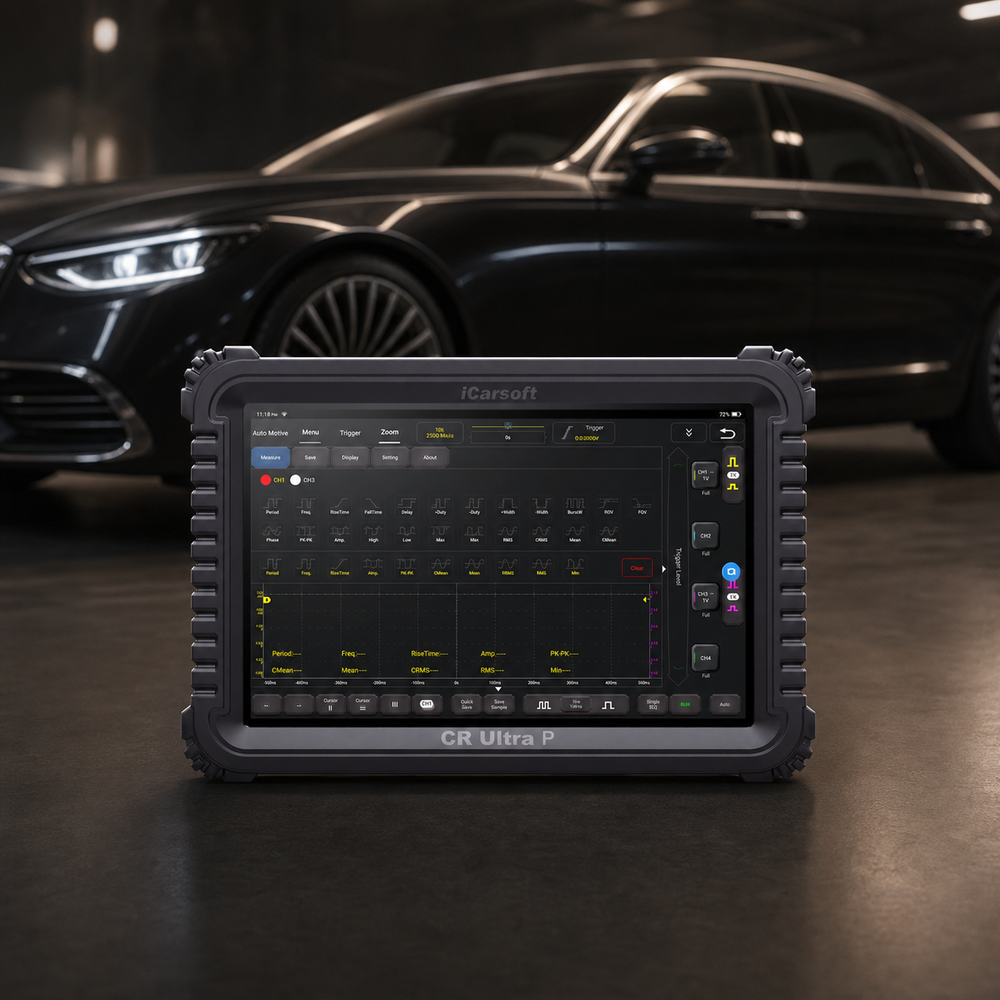
Preserve the steering-wheel position signal D evidence
iCarsoft CR Ultra P
Review supported codes and relevant live data together. Confirm the exact VIN, controller access, PIDs and any requested active test with iCarsoft before purchase; generic product capabilities do not guarantee a C0055-specific function.
Check current CR Ultra P price and availabilityCheck CR Ultra P compatibility by VINThe official product page describes supported full-system diagnostics, available live data, freeze frame and diagnostic reports; exact controller coverage and active tests depend on the VIN and software. Confirm the requested function by VIN before purchase. Follow OEM prerequisites and stop for abnormal operation.
Know the measurement boundary. Scan data describes ECU-provided information; it does not directly prove the physical condition of the steering-wheel position signal D. Where required, use OEM-approved circuit equipment and the vehicle-specific reference or functional-check procedure and compare reported values with the relevant measured evidence.
Verify the C0055 Repair
After repair, verify installation, clearance and required setup. Save the final findings and clear only erasable records as instructed. Battery disconnection is not a repair.
Run the manufacturer's applicable verification conditions in a safe workshop or route. Compare the original operating state with current data for the steering-wheel position signal D, and check current and pending faults in related modules. A clean start or idle period does not prove the repair; use the OEM functional check for this chassis system.
Compare the original and final fault status. Record the functional-check result and whether the original event returned.
If C0055 returns, compare its suffix, status, failure order and operating conditions with the saved baseline before replacing another part. Revisit the failed branch and inspect anything disturbed. Confirm the prescribed brake or steering verification separately from code clearing.
Verification follows the system involved. After saving the original evidence, use the OEM procedure to clear erasable records, complete any required calibration or functional check, and compare the final module status with the original warning and fault conditions.
Related Steering-Wheel Position Signal D Code Guides
Compare the related monitor families below. Shared symptoms or components do not make their repair procedures interchangeable.
C0055 Frequently Asked Questions
Does C0055 prove a failed steering signal d component?
No. The base label identifies a monitored category, not a proven defective assembly. A repair may concern an accessory output, harness or steering-input path. Establish which path is actually monitored before buying a sensor, column assembly or module.
What should I check first for C0055?
Save every module's codes and freeze frame before clearing. Confirm the full definition, suffix and VIN architecture. Then inspect recent steering, alignment, restraint, battery, sensor mounting, module replacement or programming work, connectors and shared supplies. Those facts determine whether the next test needs OEM-approved circuit equipment and the vehicle-specific reference or functional-check procedure or a manufacturer-specific functional procedure.
Can I drive with the C0055 code?
Follow the owner manual and current warning messages. The base code cannot establish a safe distance or prove that ABS, steering, restraint or stability assistance is available. Stop safely and arrange qualified inspection or towing for abnormal braking, steering or handling. Do not perform a road experiment to see whether assistance still works.
Why did C0055 return after a part was replaced?
Verify the original module and suffix after any permitted repair. Where the OEM classifies an intentionally unused output as expected, document that applicability rather than claiming a repaired steering fault.
What should a C0055 repair estimate include?
Ask for the failed-test evidence and a VIN-specific breakdown of diagnosis, parts, labor, taxes, required setup and verification. A code alone cannot establish the repair price.
Can CR Ultra P diagnose and clear C0055?
On a supported vehicle, CR Ultra P can organize available faults, freeze frame, live data and reports, and can clear erasable records after repair. Confirm exact ECU coverage. It cannot replace the OEM functional procedure or physical measurements for the steering-wheel position signal D.
The iCarsoft Official Store Technical Team maintains the store's fault-code library. This guide organizes published technical references and verified product information; it does not document a hands-on test of a particular vehicle or claim an individual engineer's review.
Technical and cost references
- Snap-on diagnostic trouble-code reference. Diagnostic-tool manufacturer reference for base descriptions only; no universal monitor criteria, pinouts or repairs.
- NHTSA DOT HS 812 573, Appendix K. Selected vehicle-dynamics/interface taxonomy, not VIN-specific service instructions.
- Ford SSM 49386 — selected Police Interceptor Utility Trailer Module codes. 2020–2021 application and police accessory-output scope only.
Product information: Official iCarsoft CR Ultra P page.
Editorial note: General diagnostic education, not a substitute for the owner's manual, current VIN-specific service information or professional inspection. Test limits, procedures, coverage and costs vary. Related articles provide context; apply only the specifications and repair procedures that match the vehicle. No universal failure rate, repair price or outcome is implied.


