

 By iCarsoft Official Store Technical Team, Automotive Diagnostics Editors · Updated September 1, 2026 · OEM technical references checked
Quick Answer
The P2230 code means the controller detected an intermittent or erratic electrical signal from the circuit identified as barometric pressure sensor A. It does not prove the pressure sensor itself is bad, that ambient pressure changed, or that A names one universal physical location. Save the complete scan and operating conditions, identify the exact architecture, and test accessible mechanical and electrical paths before selecting a repair.
What Does the P2230 Code Mean?
P2230 is standardized as Barometric Pressure Sensor A Circuit Intermittent/Erratic. The description names a monitored result, not a guaranteed failed part. The reporting controller, suffix, current/pending/permanent status and related faults decide which test branch is relevant.
The input may come from a stand-alone barometric sensor, a pressure sensor integrated into another assembly, or a value correlated with MAP and boost data. The A label and reference, ground, signal, and network paths must be identified from the VIN-specific diagram.
Compare barometric, MAP, boost and key-on pressure information only when those PIDs are supported and the vehicle procedure calls for that comparison. A displayed value comes from the controller and may be substituted, filtered or unavailable. Confirm units and signal source before comparing it with a physical measurement.
Audi pressure-monitor examples compare several pressure signals under defined conditions. That supports checking correlations, but it does not turn another model’s threshold into a P2230 specification.
Separate P2230 from adjacent fault families
| Code | General description | Key distinction |
|---|---|---|
| P2230 | Barometric pressure sensor A circuit intermittent/erratic | Focus on a signal that drops out or changes implausibly. |
| P2227 | Barometric pressure sensor A range/performance | A plausibility result rather than the same intermittent classification. |
| P2228/P2229 | Barometric pressure sensor A circuit low/high | Electrical-state branches need their own tests. |
| P0106 | MAP/barometric pressure range/performance | May involve a different sensor path or correlation strategy. |
Record the complete P2230 description. Manufacturer suffixes, the module that stored it and companion faults can materially change the diagnostic path.
P2230 Symptoms and Likely Causes
P2230 symptoms depend on whether the fault is active and on the vehicle’s fallback strategy. Record what the driver and modules actually reported. A symptom list is not a parts list, and the absence of a symptom does not make the stored evidence irrelevant.
The warning may be the only sign when the signal dropout is brief.
A controller may limit torque or use a substitute pressure value; the response is vehicle-specific.
An implausible pressure input can accompany starting or load complaints, but those symptoms need companion-code evidence.
Moisture, altitude change, heat or harness movement may help reproduce an intermittent connection.
Practical cause-checking order
- Accessible connection: connector corrosion, water entry, weak terminal tension or a partially locked plug.
- Circuit or shared path: chafed, stretched or heat-damaged signal, reference or ground wiring.
- Supporting system: unstable shared reference voltage or ground caused by another circuit.
- Named component: a contaminated or internally intermittent pressure-sensor assembly after circuit proof.
- Controller or software: controller input or calibration trouble only after external paths and correlation data pass.
Did P2230 appear after recent work? Recheck every disturbed connector, ground, bracket, fluid, adjustment, part number and setup step related to the ambient-pressure input. Record battery disconnection, jump starting and software history. A post-repair code does not prove that the newly installed component is defective.
How Serious Is P2230, and Can You Drive?
Arrange diagnosis promptly. When the warning is steady, operation remains normal and the owner’s manual permits it, a short light-load trip to a repair facility may be reasonable. Avoid demanding use until the ambient-pressure input is understood. P2230 does not provide a universally safe distance.
Tell the repairer exactly when the symptom occurred, including temperature, load, speed, start state and recent service. Do not deliberately reproduce a severe symptom on public roads merely to collect data. Stop sooner when another warning or a safety-related change appears.
Stop and arrange a tow if the engine stalls, cannot accelerate safely, produces heavy smoke, surges, or shows a serious boost, oil-pressure, temperature, or charging warning
Keep clear of belts, fans, hot intake and exhaust parts. Do not apply shop air or vacuum to an unidentified pressure port, and never pierce sealed wiring merely to obtain a quick reading.
How to Diagnose P2230 in the Right Order
-
Save the complete fault record
Scan all accessible modules before clearing anything. Save P2230 wording, suffix, reporting module, status, freeze frame and companion codes. Record supply voltage and the relevant available data for the ambient-pressure input. Note the failure order, recent repairs and whether a restart changes the behavior. Keep the original report for later comparison.
-
Identify the VIN-specific monitor and architecture
Use the VIN, engine, transmission and equipment codes to obtain the current wiring diagram, connector views, monitor description and bulletins.
The input may come from a stand-alone barometric sensor, a pressure sensor integrated into another assembly, or a value correlated with MAP and boost data. The A label and reference, ground, signal, and network paths must be identified from the VIN-specific diagram. Confirm software identifiers and service-action eligibility directly; a bulletin for one application does not establish coverage for another.
-
Inspect the accessible physical path
Follow the safety procedure, then inspect the connectors, locks, seals, terminals, clips and harness routing for the ambient-pressure input. Look for heat, abrasion, fluid entry, corrosion, tension and unsuitable prior repairs. Check the supporting mechanical or fluid path named in the service information. Photograph evidence before correcting it.
-
Prove circuits and physical conditions
Use a high-impedance multimeter, oscilloscope, connector terminal tools, and a reliable local ambient-pressure reference as the procedure requires. Prove feeds and grounds under the specified load, then test signal or control integrity at the correct states. Isolate components before resistance tests. Never bridge a controller pin to battery or ground, and do not substitute a continuity beep for a load or waveform test.
-
Compare supported command and response
Compare barometric, MAP, boost and key-on pressure information only when those PIDs are supported and the vehicle procedure calls for that comparison. Compare scan evidence with the external measurement and companion faults. A command does not prove physical movement, pressure, current or torque. A missing PID or active test is a coverage limitation, not evidence that the vehicle component failed. Stop any test if operation becomes unsafe.
-
Choose the supported repair and setup
Repair the path that failed its test, then correct the reason for damage and restore routing or adjustment. Confirm part application, required fluid or fasteners, programming authority and any relearn before replacement. Treat a controller as a late branch after its powers, grounds, inputs, outputs and current service information have passed.
Specifications are vehicle-specific. There is no universal voltage, resistance, current, pressure, waveform, timing, temperature, percentage or drive cycle for P2230. Test state, connector location and system design change what a valid value means. Use only specifications for the exact VIN and do not transfer the OEM example in this article to another application.
P2230 Repairs and Typical Costs
The correct P2230 repair follows the failed test. A terminal repair, restored supply, corrected fluid/mechanical condition, proven component replacement, software action or controller work are different outcomes. Replace neither the named part nor a large assembly from the generic code alone.
After installation, recheck connector seating, harness clearance and every setup step. If an OEM bulletin appears relevant, document the vehicle eligibility, installed calibration and prescribed action. The existence of the bulletin in the references does not promise warranty, free repair or a software cure for other vehicles.
| Possible path | Current US estimate |
|---|---|
| Initial diagnosis and evidence capture | VIN-specific quote |
| Confirmed connector, wiring, supply or ground repair | VIN-specific quote |
| Proven sensor, switch, actuator or mechanical repair | VIN-specific quote |
| Applicable software, setup or controller work | VIN-specific quote |
There is no single national P2230 repair price because these rows are alternative outcomes. Ask for an itemized estimate showing diagnostic time, parts, labor, fluids, programming access and verification. Location, taxes, related damage and warranty eligibility change the total. Do not add the rows together or authorize an assembly without the supporting failed test.
Using iCarsoft CR Eagle P for P2230
On a supported vehicle, iCarsoft CR Eagle P can retrieve accessible module faults, save available freeze frame, display ECU-provided live data and create a diagnostic report. For P2230, preserve the original evidence and compare related modules before clearing an erasable record.
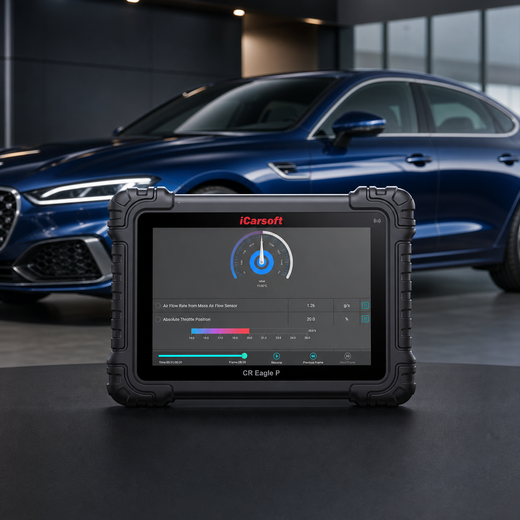
Preserve the ambient-pressure input evidence
iCarsoft CR Eagle P
Review supported codes and relevant live data together. Confirm the exact VIN, controller access, PIDs and any requested active test with iCarsoft before purchase; generic product capabilities do not guarantee a P2230-specific function.
Check current CR Eagle P price and availabilityCheck CR Eagle P compatibility by VINThe official product page describes full-system diagnosis and bidirectional functions, but the exact ambient-pressure input data or output test depends on vehicle, ECU and software. Follow OEM prerequisites and stop for abnormal operation. A coding or J2534 feature does not itself supply the manufacturer file, subscription, authorization or procedure for an OEM bulletin.
Know the measurement boundary. The scanner reports information supplied by the vehicle. It does not directly prove terminal tension, circuit load capacity or the physical condition of the ambient-pressure input. It also cannot replace a high-impedance multimeter, oscilloscope, connector terminal tools, and a reliable local ambient-pressure reference when the OEM procedure requires them. Interpret commanded and reported values alongside measured evidence.
Verify the P2230 Repair
After repair, verify connector locks, terminal seating, harness clearance, fluid or mechanical setup, and stable controller supply. Save post-repair findings, then clear only erasable records through the approved procedure after retaining the original evidence. Battery disconnection is not a substitute for correcting P2230.
Run the manufacturer’s applicable verification conditions in a safe workshop or route. Compare the original operating state with current data for the ambient-pressure input, and check current and pending faults in related modules. One clean start or idle period does not prove that every conditional monitor has completed.
If P2230 returns, compare its suffix, status, failure order and operating conditions with the saved baseline before replacing another part. Revisit the failed branch and inspect anything disturbed. Keep mechanical repair, monitor completion, readiness and local inspection eligibility as separate outcomes.
A permanent P2230 can remain immediately after a successful repair. If the vehicle stores it as a permanent DTC, a scan tool or battery disconnect cannot erase it. Once current and pending faults are absent, the OBD system removes the permanent record only after the applicable monitor reruns and passes.
Related Barometric Pressure Sensor A Code Guides
P2230 Frequently Asked Questions
Does P2230 mean the ambient-pressure input component is bad?
No. P2230 describes an intermittent or erratic electrical signal from the circuit identified as barometric pressure sensor A, not a confirmed part. Test accessible wiring, supplies, grounds and supporting mechanical conditions, then follow the exact monitor tree. Replace a component only when its branch fails or an applicable OEM action specifically supports it.
What should I check first for P2230?
Save every module’s codes and freeze frame before clearing. Confirm the full definition, suffix and VIN architecture. Then inspect recent work, connectors and shared supplies. Those low-cost facts determine whether the next test needs a high-impedance multimeter, oscilloscope, connector terminal tools, and a reliable local ambient-pressure reference or a manufacturer-specific functional procedure.
Can I drive with the P2230 code?
Only consider a short light-load trip when operation is normal and the owner’s manual permits it. Stop if the engine stalls, cannot accelerate safely, produces heavy smoke, surges, or shows a serious boost, oil-pressure, temperature, or charging warning. The code number cannot establish a safe mileage allowance, and another warning can make the situation more urgent.
Why did P2230 return after a part was replaced?
The original circuit or supporting-system fault may remain, the part or setup may be wrong, or the first diagnosis may have confused a monitored result with a failed component. Compare the new failure conditions with the saved record and recheck every disturbed connection before buying another part.
How much does a P2230 repair cost?
A VIN-specific estimate is required because diagnosis may lead to wiring, a supporting mechanical repair, a verified component, software or a controller. Ask which failed test supports the quote and whether diagnosis, taxes, setup and post-repair verification are included.
Can CR Eagle P diagnose and clear P2230?
On a supported vehicle, CR Eagle P can organize available faults, freeze frame, live data and reports, and can clear erasable records after repair. Confirm exact ECU coverage. It cannot force-clear a permanent DTC or replace physical circuit and ambient-pressure input measurements.
The iCarsoft Official Store Technical Team maintains the store's fault-code library. This guide organizes published manufacturer evidence and verified product information; it does not document a hands-on test of a particular vehicle or claim an individual engineer's review.
Technical and cost references
- Snap-on Diagnostic Trouble Codes (DTC) List. Current generic terminology cross-check for P2230; OEM suffix and service information take priority.
- Audi A6/S6 Quick Reference Specification Book, December 2012. Its P2227 application example compares barometric and boost-related pressure signals; it illustrates architecture and does not supply a P2230 threshold for other vehicles.
- California Bureau of Automotive Repair — On-Board Diagnostic Test Reference. Permanent DTCs are removed by the vehicle after applicable verification, not by a scan-tool erase command.
Product information: Official iCarsoft CR Eagle P page.
Editorial note: This educational guide supports diagnostic planning and does not replace the current service manual, safety instructions, or professional diagnosis for your VIN. Source information was checked September 1, 2026. Apply only the procedures and specifications for the exact vehicle; product functions depend on vehicle, ECU, software, and access requirements.


